1629795097611
It's here! Manage user profiles & project permissions
by Picterra
Collaboration is much easier when information can be shared in a controlled, seamless way. In the account overview, administrators now have the ability to assign user profiles and edit permission sets across the account. Users can set view, 1607354760001
A brand new UI to improve use-ability!
by Picterra
This week we are releasing one of several upcoming major visual updates on the Picterra UI to improve use-ability. All the existing functionality that you’ve enjoyed up until now will still be there but now with with a fresh look to... 1606751160001
Copying annotations from one raster to another
by Picterra
We've added a new useful feature this week for those of you who need to be able to annotate on one image, but train on another. This could useful, for example, if you need to train on non-RGB imagery (NIR, SAR, etc) which can be hard to... 1605133560001
New feature: Markers
by Picterra
This week we introduced the next new feature in the Picterra interface, markers. Markers allow you to make geolocated comments and notes on your images. You can create new categories of markers and assign them different colours. Note... 1601992080001
Introducing Picterra Monitoring and Tasking
by Picterra
We're thrilled to announce our partnership with SkyWatch, whose EarthCache platform is the simplest way to access #satellite data. 🌍🌎🌏 Now, you can not only use Picterra to extract actionable insights from the imagery you own, but it... 1600871400001
New Detector Setting: Detector Spatial Resolution
by Picterra
We've added a brand new detector setting for you to play with! This week we bring you the "spatial resolution" setting lets you increase the accuracy of your detectors by having finer control over the resolution of your images. In...
1600775460001
Import results into your projects
by Picterra
No Machine Learning model is perfect, and they can always make mistakes. You may want to make the final touches to your project before presenting or delivering it. While Picterra does not support editing your results directly in-app, you...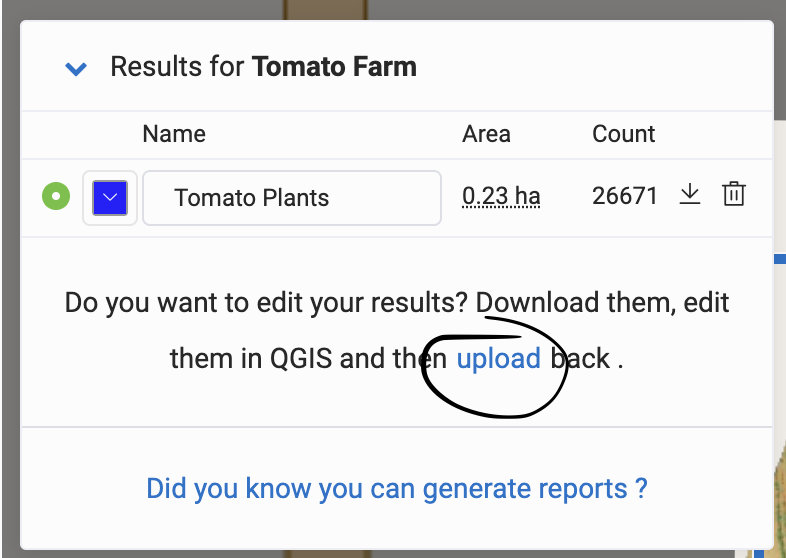
1600174260001
New Advanced Machine Learning Detector Settings
by Picterra
This week we've released a new set of detector settings along side the original settings (accessible from the gear icon next to your detector's name in Training Mode). These new settings are catered towards Machine Learning experts and... 1598879640001
Toggle outlines visibility in Detector Training
by Picterra
We have added a new option that allows you to toggle the visibility of your outlines while training a detector. To do so, you can click on the small eye icon next to Outlines in the detector info popup: